

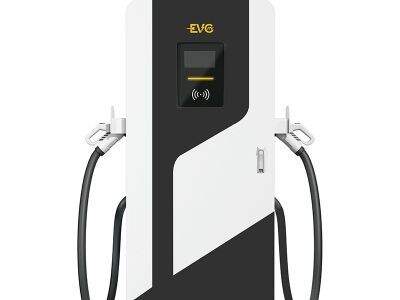
Sometimes, rapid charging stations just don’t work as they should. It is an aggravation for anyone trying to charge their electric vehicle. But if you’re struggling to pull up a charging station produced by LFF Technology, fear not. We’ll share some common problems and solutions. Knowing what to do can get you back on the road in no time. Now, we’ll explore how you can recognize if this is happening and fix the problem.
How to Quickly Troubleshoot and Fix Charging Station Wired
It is important to first diagnose what’s ailing connectivity. Check for signs that the charging station is out of operation. Look for error messages on the screen; they provide valuable information. Sometimes, a simple restart helps. Try to unplug the charger and then plug it again. This may reset the system, and could fix a problem you never had before. If everything is still not well, examine the cables. Are they damaged or loose? Be sure all connections are well seated.
What are the recommended practices for service connections in fast-charging stations
It is important to follow some best practices for keeping electric vehicle home charging station in good working order. First, ensure the charging station is in a good location. It should be where strong Wi-Fi signals are. You have the option of verifying the strength of the signal before you configure your station. If the signal is weak, consider relocating the station or installing a Wi-Fi boosting device. Another habit is to keep constant checks on the charging station connections. This includes checking that cables and plugs are securely connected, undamaged and free from debris.
A Guide on How to Fix Problems with Wi-Fi Connectivity
At times, the fast charging stations might face issues connecting to Wi-Fi. If this happens, don't worry! There are easy ways to address the issue. First, test whether the Wi-Fi is good. You can check this by looking at other devices connected to the same network. If they do, you may need to get your Fast charging station serviced. If they don’t, then the Wi-Fi network probably needs to be looked at. Try rebooting the router and see if that works.
Preventing Dead-Screen Charging Stations
When a station goes down, it can frustrate customers and lose revenue. To prevent that, regular upkeep is crucial. That means checking the ev charging sites and software frequently. This is also supported by LFF Technology in terms of the maintenance schedule. The reason to follow these schedules is that it helps catch small problems before they become big. A charger, for example, is displaying signs of wear you might want to consider replacing it early so that it doesn’t break down completely.